
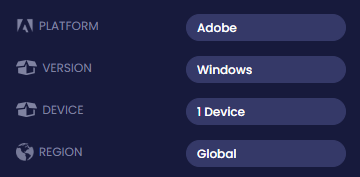
It is compatible with both Windows 10 & 11.
All codes are generated after purchase and can take up to 24hrs: This is not an automated service, you are not dealing with a faceless BOT, so I thank you for your patience in advance.
Most purchases are fulfilled within 2hrs between 08:00-20:00hrs GMT. Your purchase of Acrobat 2019 download is 100% PAYPAL secure.
ACTIVATION GUIDE
Adobe Acrobat DC Pro (Lifetime License)
Click the button to get full instructions

1. Download the installer using any of the links below:
(more than one is provided in the event of either being unavailable)
LINK ONE
LINK TWO
You will be directed to a download page:
IGNORE THE MESSAGE "THERE WAS A PROBLEM WITH THE NETWORK". This is an automated message and has no effect on you accessing or downloading the file.
Click the "DOWNLOAD" button to obtain the installation file.
You will then be prompted to download the file, approx 600-700Mb.
IMPORTANT !
Windows Defender antivirus may detect the Adobe cabinet file (compressed archive Data1.CAB/Data2.CAB) as being a potential threat and delete the file.
This is a false detection, and to avoid this happening it is recommended that you temporarily disable Windows
Antivirus. This can be done easily:
Using the Windows Security app
Open the Start menu
Search for Windows Security
Select Virus & threat protection
Select Manage settings
Under Real-time protection, toggle the switch to Off
(Restarting your computer will re-enable the antivirus)
NEXT:
Unzip/extract files to a folder before running setup.
(Right-click on the downloaded file and select 'Extract Files' and follow the prompts. The extracted installer files with be shown after extraction.)
It is recommended that any previous/alternate versions of Acrobat are uninstalled fully prior to installation and that your version of Windows is fully up-to-date.
Double-click 'Setup.exe' and follow the prompts to install the product.
Enter your product key when prompted.
Enjoy your new Adobe product.
Regards
David